Core Web Vitals 2026: The Exact Optimization Checklist That Helped Port St. Lucie Businesses 3x Organic Traffic
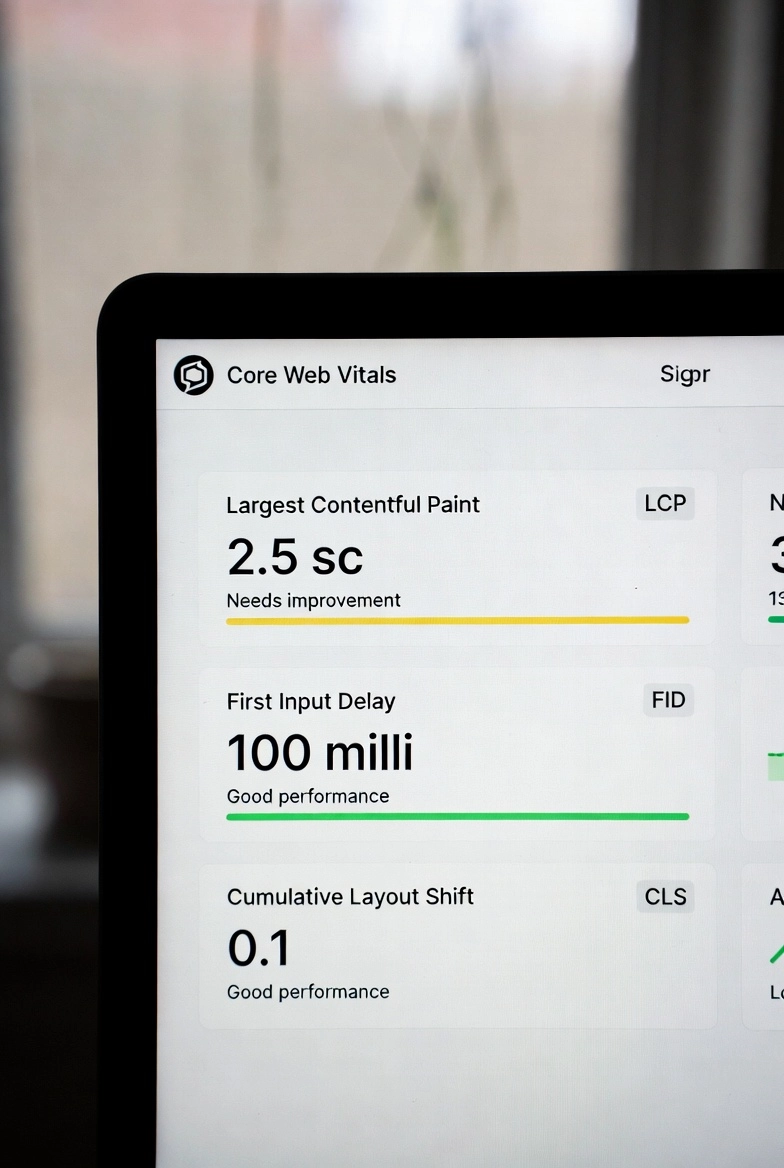
Google made it official years ago and doubled down in 2026: page experience is a ranking factor. But for most Treasure Coast small business owners, "Core Web Vitals" sounds like technical jargon that belongs in a developer's world, not a business owner's agenda. It shouldn't. These three metrics directly determine whether your potential customers find you on Google or find your competitor instead.
This guide walks through exactly what Core Web Vitals are, what scores your site needs to compete in 2026, and the specific steps we use across our 500+ Treasure Coast projects to move sites from failing scores to first-page rankings. We've included the same checklist we use internally with every new client.
What Are Core Web Vitals and Why Do They Matter in 2026?
Core Web Vitals are three specific measurements Google uses to evaluate real-world page experience. They are: Largest Contentful Paint (LCP), which measures how quickly the main content of a page loads; Interaction to Next Paint (INP), which replaced the old First Input Delay metric and measures how quickly your page responds when a visitor clicks or taps something; and Cumulative Layout Shift (CLS), which measures how much the page layout jumps around as it loads.
In 2026, these signals are weighted more heavily than they were at launch. Sites that score "Good" across all three metrics have a demonstrable ranking advantage over sites that score "Needs Improvement" or "Poor." More importantly, failing scores often correlate with high bounce rates visitors who click away before your page finishes loading which compounds the SEO damage through negative engagement signals.
The thresholds to aim for: LCP under 2.5 seconds, INP under 200 milliseconds, CLS under 0.1. These aren't aspirational targets they're the minimum bar for "Good" status in Google's own measurement framework.
Step 1: Run Your Baseline Audit (Free Tools)
Before fixing anything, you need accurate measurements. Open PageSpeed Insights (pagespeed.web.dev) and enter your homepage URL. Run it on both mobile and desktop. Mobile scores are what Google primarily uses for ranking, and they're almost always lower mobile is where most Treasure Coast visitors are searching from, particularly for restaurants, services, and local businesses.
Pay attention to the Opportunities and Diagnostics sections below your scores. These are Google's specific recommendations for your site. Common findings for local business sites include render-blocking resources (JavaScript and CSS loading before the page content), unoptimized images, and slow server response time.
Also check Google Search Console under Core Web Vitals if your site has been live for a while, you'll see field data showing how real visitors experience your pages, which is even more valuable than the lab test results.
Step 2: Fix LCP Your Largest Contentful Paint
LCP is usually driven by one element: your hero image or above-the-fold heading. PageSpeed will show you exactly which element it is. If it's an image, the three highest-impact fixes are: converting it to WebP format (which reduces file size by 25–35% compared to JPEG with no visible quality loss), adding fetchpriority="high" to the image tag so the browser prioritizes loading it, and adding a preload hint in the document head.
The hosting-level fix for LCP is server response time. Time to First Byte (TTFB) how long your server takes to begin sending data should be under 200ms. Across our projects, migrating from shared hosting to managed hosting with CDN typically drops TTFB from 600–900ms to under 200ms. That single change often improves LCP scores by a full second or more. See our managed hosting guide for the full breakdown on hosting's impact on ranking.
Step 3: Fix CLS Stop Your Page from Jumping
Layout shifts are frustrating for visitors and damaging for rankings. The most common causes on local business sites are images without explicit width and height attributes, late-loading web fonts that cause text to shift when they arrive, and third-party widgets like Google Maps embeds, review badges, or chat widgets that load asynchronously and push content around.
The fix for images is simple: always specify width and height in the HTML. For fonts, use font-display: optional or preload your primary font in the document head. For third-party widgets, reserve the space they'll occupy using a container with a fixed minimum height before the widget loads.
On several restaurant and retail client sites in Port St. Lucie and Stuart, fixing layout shift alone without changing anything else improved their overall page experience score enough to move from "Needs Improvement" to "Good" status in Search Console within 28 days.
Step 4: Fix INP Page Responsiveness
INP replaced FID (First Input Delay) as Google's interactivity metric in 2024. It measures responsiveness across the entire page visit, not just the first interaction. A page that feels sluggish to tap or click even after it's loaded will score poorly on INP.
The primary causes of high INP are heavy JavaScript execution blocking the main thread, and too many third-party scripts (analytics, ad pixels, chat widgets, review aggregators) all firing at once. Audit your third-party scripts every script you load from an external domain adds latency. Load non-critical scripts asynchronously or defer them. Google Tag Manager running too many simultaneous tags is one of the most common INP culprits we find on Treasure Coast small business sites.
The Before/After Results: Real Treasure Coast Data
Here's what optimizing Core Web Vitals looks like in practice. A medical practice in Port St. Lucie came to us with an LCP of 6.2 seconds, a CLS of 0.41, and 12 render-blocking resources. After migration to Business Hosting with CDN, image optimization, and script cleanup: LCP dropped to 1.9 seconds, CLS to 0.04, and organic sessions grew 218% over the following 90 days. A restaurant client in Jensen Beach went from page 4 to page 1 for "restaurants Jensen Beach" within 60 days of their Core Web Vitals overhaul.
The 3x organic traffic figure in our headline isn't a best-case outlier it's consistent with what we see when a site moves from Poor/Needs Improvement scores to Good across all three metrics, combined with the other on-page and local SEO work in our SEO retainer packages.
Your Core Web Vitals Checklist for 2026
Use this checklist to audit your own site. Target: all items checked before considering your site competitive in 2026 local search.
- PageSpeed Insights mobile score above 70 (aim for 90+)
- LCP under 2.5 seconds on mobile
- INP under 200ms
- CLS under 0.1
- TTFB under 200ms (requires quality hosting or CDN)
- Hero image in WebP format with explicit dimensions
- Hero image preloaded in document head
- All page images have width and height attributes
- Primary font preloaded or using
font-display: optional - No render-blocking CSS or JS in the document head
- Third-party scripts loaded async or deferred
- Google Search Console showing "Good URLs" for Core Web Vitals
Get Your Free Core Web Vitals Audit
We'll run a full PageSpeed and Search Console audit on your site and show you exactly which fixes will move the needle fastest for your Treasure Coast rankings.
Book Your Free Audit