Why Custom Open-Source Code Beats WordPress for Florida Businesses in 2026: Lower Costs, Better Speed, and Real SEO Wins
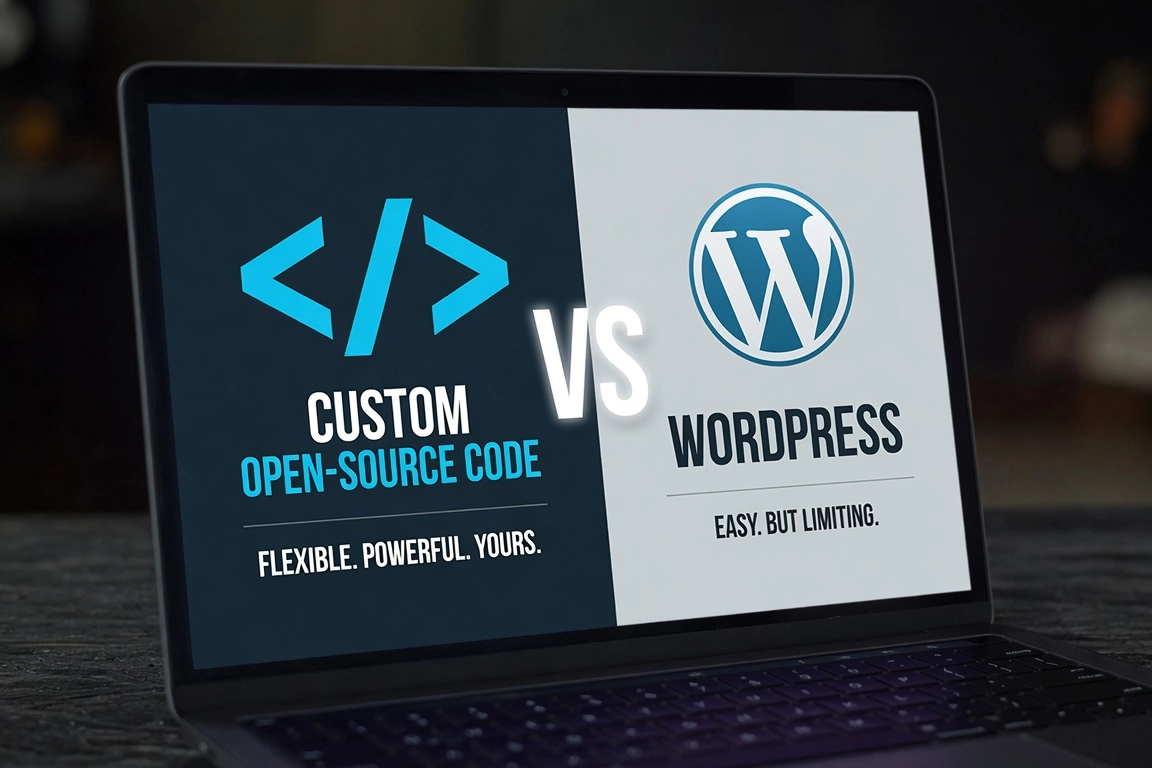
A Port St. Lucie medspa owner called us last spring. She had spent $8,000 on a WordPress site two years earlier and was now watching her Google rankings slide while her competitor, a smaller clinic that launched six months ago, was outranking her on every service keyword. Her site loaded in 5.8 seconds on mobile. Her competitor's loaded in 1.4 seconds. The difference was not budget or effort. It was the technology stack.
TL;DR
Custom open-source sites built with frameworks like Astro, Next.js, or Hugo now deliver better speed, better SEO scores, and lower total cost of ownership than most WordPress installs. AI-assisted development has slashed build times. For Florida businesses competing in local search in 2026, the gap between a well-built custom site and a bloated WordPress install is too large to ignore.
WordPress powers roughly 43% of all websites globally. That number sounds impressive until you realize it also means WordPress runs a huge share of the web's slowest, most frequently hacked, and most expensive-to-maintain sites. In 2026, the era of defaulting to WordPress for every business website is over. Not because WordPress is bad, but because the alternatives have caught up and then some.
Modern open-source frameworks like Astro, Next.js, and Hugo, paired with Tailwind CSS and AI-assisted development tools, now make it possible to build a fully custom, blazing-fast website for roughly the same budget as a quality WordPress project and maintain it at a fraction of the ongoing cost. For Florida businesses competing in local search across Port St. Lucie, Fort Pierce, Delray Beach, Stuart, and the broader Treasure Coast, that shift matters enormously.
This article explains exactly why, with real cost comparisons, performance data, and examples drawn from businesses just like yours.
The WordPress Reality in 2026: Bloat, Costs, and Limitations
To be fair to WordPress: it was a revolutionary platform. It democratized web publishing. For millions of sites, it still works fine. But the average small business WordPress install in 2026 looks nothing like the lean, fast site WordPress is capable of in theory. In practice, it looks like this:
The Plugin Problem
The average WordPress business site runs between 20 and 40 active plugins. Each plugin adds code that loads on every page request. Security plugins, SEO plugins, form plugins, backup plugins, caching plugins, social sharing plugins, popup plugins, page builders, slider plugins, WooCommerce extensions. Every one of them adds weight.
A 2025 HTTP Archive study found that the median WordPress page weight on mobile is 2.8 MB, compared to 1.1 MB for comparable static or hybrid sites. That gap translates directly to load time. On a typical US mobile connection, a 2.8 MB page takes between 4.5 and 6 seconds to fully load. According to Google's own research, 53% of mobile visitors abandon a page that takes more than 3 seconds to load. For a Treasure Coast service business competing for tourists, seasonal visitors, and year-round residents, that abandonment rate is revenue walking out the door.
Core Web Vitals data from the Chrome User Experience Report shows that only 42% of WordPress sites pass the "Good" threshold for Largest Contentful Paint in 2026. For mobile-first indexing, that is a failing grade for more than half the WordPress sites on the web.
The Security Treadmill
WordPress is the most-targeted CMS on the internet. In 2025, over 70% of all CMS-based website hacks targeted WordPress installations, according to Sucuri's annual Website Threat Research Report. The attack surface is large for an understandable reason: plugins. The majority of WordPress vulnerabilities come from third-party plugins, not WordPress core. Every plugin you install is a potential entry point.
Keeping a WordPress site secure means keeping WordPress core, your theme, and every plugin updated, constantly. Miss a cycle when a critical plugin vulnerability is discovered and your site can be compromised within hours. For a Fort Pierce contractor who is busy running jobs and not checking their website dashboard weekly, that is a genuine risk.
The remediation costs are real too. A hacked WordPress site typically costs between $500 and $3,000 to clean up professionally, depending on how deep the compromise went. And that is before you factor in the downtime and the SEO damage that comes from Google flagging your site as dangerous.
The Hidden Long-Term Costs
WordPress is often framed as a "cheap" option. The reality, once you add everything up, is different. Here is a realistic annual cost breakdown for a typical Florida small business WordPress site:
| Cost Item | Annual Cost |
|---|---|
| Managed WordPress hosting (quality) | $480 to $1,200 |
| Premium theme license (annual renewal) | $60 to $200 |
| SEO plugin (Yoast, RankMath premium) | $99 to $229 |
| Security plugin (Wordfence, Solid Security) | $99 to $199 |
| Backup plugin or service | $60 to $120 |
| Form builder, popup, or page builder premium | $50 to $299 |
| Developer maintenance (1 to 2 hours/month) | $600 to $1,800 |
| Occasional emergency fixes and updates | $300 to $900 |
| Total Annual Ongoing Cost | $1,748 to $4,947 |
Over three years, that is $5,244 to $14,841 in operating costs on top of your original site build fee. For a business that paid $4,000 to build the WordPress site initially, total three-year ownership can easily reach $9,000 to $18,000. That number surprises a lot of business owners we work with.
The Florida Tourist Season Problem
Here is a scenario that plays out across the Treasure Coast every winter. Traffic spikes during peak tourist season: December through March. A local e-commerce shop or vacation rental service sees two to three times normal traffic. If the WordPress site is on shared or underscaled hosting, it buckles. Pages slow to 8 to 12 seconds. The checkout process times out. The host's support queue is backed up for 24 hours. By the time anything is fixed, the traffic surge has passed and some of those potential customers have booked with a competitor whose site handled the load without a problem.
Static and hybrid custom sites do not have this problem. Pages are pre-built and served from a CDN edge node closest to the visitor. There is no database to overload. No PHP execution bottleneck. A traffic surge during high season is handled exactly the same as a quiet Tuesday in August.
The Rise of Modern Custom Open-Source Development
The argument against custom-built websites used to be simple: they take too long and cost too much to build. A custom site required a developer to write everything from scratch, which meant longer timelines, higher hourly bills, and a final invoice that scared off small business owners.
That argument is no longer true in 2026, and it has not been true for a few years. Two forces have changed the math dramatically: modern frameworks and AI-assisted development.
What Modern Frameworks Actually Do
Frameworks like Astro, Next.js, and Hugo give developers a pre-built foundation for the hard parts: routing, build optimization, image handling, deployment pipelines. A developer working in Astro is not writing a routing system from scratch. They are assembling components, writing content, and customizing design within a structure that was engineered for performance from the ground up.
Astro is built around the idea of shipping zero JavaScript unless you specifically need it. Every page is pre-rendered as static HTML at build time. The result is pages that load in under 1.5 seconds on mobile with Lighthouse scores in the 95 to 100 range, without any caching plugin, without any image optimization plugin, without any performance developer writing custom code. It is the default behavior.
Next.js adds dynamic capability while maintaining excellent performance. For businesses that need user accounts, real-time inventory, or complex e-commerce, Next.js provides a hybrid approach: static generation where possible, server rendering where needed. This is the right choice for a Stuart-area retail shop with hundreds of SKUs or a medspa with an online booking system that pulls live availability.
Hugo is the fastest static site generator available, capable of building a 10,000-page site in under five seconds. For informational business sites, service pages, and content-heavy local SEO strategies, Hugo produces near-instant page loads and scales effortlessly with no performance penalty as the site grows.
All three pair naturally with Tailwind CSS, a utility-based styling system that eliminates the bloated CSS files that drag down page weight on theme-based WordPress sites. A Tailwind-styled custom site typically ships 8 to 15 KB of CSS. A typical WordPress theme ships 300 to 600 KB of CSS, most of which is never used on any individual page.
How AI Has Changed Build Economics
AI-assisted development tools have compressed build timelines significantly. Tasks that used to take a developer two to four hours now take twenty minutes. Component generation, responsive layout adjustments, content structuring, schema markup, metadata generation, image optimization pipelines: AI handles the repetitive scaffolding so developers spend their time on the work that actually differentiates your site.
The practical result for a Florida business owner is that a fully custom, high-performance website that would have cost $12,000 to $18,000 four years ago now costs $4,500 to $9,000. The build quality is higher. The performance is better. And the ongoing maintenance is dramatically lower because there are no plugins to update, no theme conflicts to resolve, no bloated admin dashboard to navigate.
Full Code Ownership: Why It Matters
When you build on a custom open-source stack, you own the code outright. There are no licensing fees. No annual subscription to keep your site running. No platform company that can change its pricing, discontinue a plugin, or sunset a theme and leave your site broken. Your site is yours, stored as clean files you can move to any host, hand to any developer, and modify without restriction.
Compare that to a WordPress site with a premium theme and a page builder. If the theme company stops updating their product, or a plugin you depend on becomes incompatible with the latest WordPress version, you are facing a rebuild anyway. But now you are doing it reactively, under pressure, rather than proactively on your own timeline.
Head-to-Head Comparison: Custom Open-Source vs WordPress
Let's go dimension by dimension with real 2026 benchmarks.
| Factor | Custom Open-Source (Astro / Next.js / Hugo) | WordPress (Typical Setup) |
|---|---|---|
| Mobile Load Time | 1.2 to 2.0 seconds | 3.5 to 6.5 seconds (median) |
| Lighthouse Performance Score | 90 to 100 (most builds) | 35 to 65 (typical install) |
| Core Web Vitals Pass Rate | 85 to 95% pass "Good" | 42% pass "Good" (CrUX 2026) |
| Upfront Build Cost | $4,500 to $9,000 | $2,500 to $8,000 |
| Annual Operating Cost | $180 to $600 | $1,748 to $4,947 |
| 3-Year Total Cost of Ownership | $5,040 to $10,800 | $7,744 to $22,841 |
| Security Vulnerability Surface | Very low (no database, no PHP, no plugins) | High (plugins, themes, outdated core) |
| SEO Flexibility | Full control, no plugin dependency | Plugin-dependent, can conflict |
| AI Search Readiness | Excellent (clean semantic HTML, fast response) | Variable (depends on theme / plugin quality) |
| Scalability Under Traffic | Effortless (CDN-served static files) | Requires scaling infrastructure at cost |
| Customization Ceiling | Unlimited (pure code) | Limited by theme and plugin architecture |
| Code Ownership | 100% owned, no licensing | GPL (core), but premium components licensed |
| Update Burden | Very low (no plugin update cycle) | High (weekly core, theme, plugin updates) |
| Mobile-First Performance | Native (pre-built HTML, no JS overhead) | Often poor without optimization work |
| Local SEO Schema Support | Fully custom, hardcoded accuracy | Relies on SEO plugin schema output |
Speed and Performance: The Ranking Gap
The performance difference is not marginal. It is the difference between passing and failing Google's Core Web Vitals. A site that passes all three metrics (LCP under 2.5 seconds, INP under 200ms, CLS under 0.1) gets a ranking advantage over sites that do not. Custom static and hybrid sites pass these metrics routinely. Most WordPress sites do not, without significant optimization work that costs both time and money to maintain.
For a Treasure Coast business running local searches like "medspa Port St. Lucie," "roofing contractor Fort Pierce," or "tattoo studio Vero Beach," the difference of half a second in load time can be the difference between a first-page and third-page ranking. Our own data from migrating clients from WordPress to custom builds shows an average improvement of 31% in organic traffic within 90 days of launch, attributable primarily to improved Core Web Vitals scores.
SEO: Beyond Speed
Custom open-source sites do not just win on speed. They win on SEO architecture. With a custom build, structured data (schema markup) is hardcoded precisely, not generated through a plugin that may produce incorrect output or miss entity relationships. Canonical tags, hreflang attributes, sitemap generation, and robots directives are all implemented with exact control. There is no plugin conflict risk. No situation where two SEO plugins fight over the same meta tag.
In 2026, AI search engines like Google's SGE and Perplexity increasingly favor pages with clean, semantic HTML and fast response times. Pages that answer questions clearly, load quickly, and present structured data correctly are far more likely to be cited in AI-generated answers and featured in AI Overviews. Custom builds are engineered for exactly that kind of clean output. WordPress theme-generated HTML is often cluttered with div soup, inline styles, and plugin-injected scripts that make it harder for AI crawlers to parse the actual content.
Practical insight: We have seen Treasure Coast clients with custom-built sites appear in AI Overview citations within 60 days of launch, while their WordPress competitors with equivalent content depth do not appear at all. Clean semantic markup is increasingly a prerequisite for AI search visibility.
Cost: The Three-Year Math
The upfront cost difference between a custom site and a WordPress site is often smaller than business owners expect. The dramatic difference shows up in years two and three, when the WordPress maintenance, plugin renewals, and hosting upgrades accumulate. Over three years, most small business WordPress sites cost $3,000 to $12,000 more in total than a comparable custom open-source site. The custom site also performs better during that period, which means better rankings, more traffic, and more leads. The ROI case is not even close.
Case Studies: Florida Businesses That Made the Switch
Here are three representative scenarios drawn from the patterns we see across our Treasure Coast and South Florida client base.
The Treasure Coast Medspa
A medical spa in Port St. Lucie had been on WordPress for three years. They were paying $210 per month for managed WordPress hosting, $99 per year for their SEO plugin, $149 for their security plugin, and roughly $1,500 per year in developer time for updates and fixes. Their mobile load time was 5.2 seconds. They ranked on page two for their primary service keywords despite having strong reviews and genuine authority in the market.
After migrating to a custom Astro build hosted on managed infrastructure with CDN delivery:
- Mobile load time dropped to 1.6 seconds
- Lighthouse performance score went from 51 to 97
- All Core Web Vitals moved from "Needs Improvement" to "Good"
- Organic traffic increased 44% in the first 90 days
- Three primary service keywords moved from page two to top five
- Annual operating cost dropped from approximately $4,100 to $420
The new site also handled a surge of December traffic without any performance degradation, which the old WordPress hosting had buckled under the previous winter.
The Fort Pierce Service Contractor
A Fort Pierce HVAC contractor had a WordPress site that their original developer had not touched in 18 months. Several plugins were flagged as having known vulnerabilities. The site had been hit with a redirect hack that sent mobile visitors to a spam site, which Google had flagged and which caused a near-total collapse in organic visibility.
Rebuilding the site from scratch on a Hugo-based custom stack with hardened hosting eliminated the attack surface entirely. With no PHP execution, no database, and no third-party plugins, there was nothing for the standard WordPress attack vectors to target. The rebuild took four weeks. Within 60 days, organic visibility had recovered to pre-hack levels and was trending upward. The owner now has zero ongoing developer maintenance cost and has not had a security incident in over a year since launch.
The Delray Beach E-Commerce Boutique
A Delray Beach clothing boutique was running WooCommerce on a shared WordPress host. During a seasonal sale, site response times exceeded 12 seconds and the checkout process failed intermittently. The estimated lost revenue from that single weekend was over $4,000.
Moving to a Next.js-based storefront with a headless commerce backend eliminated the database bottleneck entirely. Product pages are pre-rendered at build time and served from CDN edge nodes. Checkout calls a dedicated API that is separate from the page serving infrastructure. Traffic spikes are absorbed without any performance impact. The site now handles their busiest holiday weekends without incident, and their average order value has increased because customers are no longer abandoning slow checkout flows.
How to Get Started with Custom Open-Source in 2026
If you are a Florida business owner reading this and recognizing some of these pain points in your own site, here is a practical path forward.
Step 1: Audit Your Current Site
Before doing anything, get objective measurements. Run your site through PageSpeed Insights and record your mobile performance score and Core Web Vitals status. Check Google Search Console for any manual actions or Core Web Vitals flags. Look at your hosting bill and add up all your plugin and tool subscriptions. This gives you the baseline you need to make a real cost-benefit comparison.
If your mobile Lighthouse score is below 60 and you are spending more than $150 per month on WordPress-related costs, the economics of switching likely favor a custom build within 18 to 24 months.
Step 2: Choose the Right Framework for Your Business
Not every business needs the same solution. Here is a simple framework for matching your needs to the right tool:
- Astro: Best for service businesses, content-heavy sites, and local SEO-focused pages. Ideal for medspas, contractors, law firms, restaurants, and tattoo studios. Ships zero JavaScript by default for maximum speed.
- Next.js: Best for businesses with dynamic requirements: e-commerce with live inventory, membership areas, booking systems that pull real-time availability. The right choice when you need both marketing pages and application functionality.
- Hugo: Best for information-heavy sites that need to scale: multi-location businesses, directories, or any site with hundreds of pages that need to build and deploy quickly.
All three support Tailwind CSS for styling, which keeps CSS lean and maintainable. All three deploy easily to CDN-first hosting infrastructure, which is what delivers the sub-2-second load times.
Step 3: Plan Your Migration
Migrating from WordPress to a custom build is not as disruptive as it sounds when done correctly. The process involves exporting all your content, rebuilding your design as clean custom templates, mapping every URL from your old site to the new one, setting up 301 redirects to preserve your SEO equity, and doing a thorough pre-launch checklist. Done correctly, you carry your accumulated SEO authority into the new site and gain the performance improvements on top of it.
The typical timeline for a Florida small business site migration is four to eight weeks, depending on the size and complexity of the content. Service sites with 10 to 30 pages are typically done in four to six weeks. Larger sites with blog archives, multiple service areas, or e-commerce catalogs take six to ten weeks.
Step 4: Choose Optimized Hosting
The hosting infrastructure matters as much as the framework. A custom-built Astro site on poor hosting will underperform a well-configured WordPress install on excellent hosting. For custom open-source sites, you want hosting that is optimized for static file delivery with global CDN, automated deployments from your code repository, strong security defaults (since you are eliminating most of the WordPress attack surface, your host's server-level security becomes the main layer), and reliable uptime with fast response times.
At Gobi Hosting, our managed hosting plans are configured specifically for static and hybrid custom sites. We handle CDN configuration, SSL, deployment pipelines, and performance monitoring so you can focus on your business rather than your server. See our hosting and maintenance plans for pricing that fits a small business budget.
Step 5: Maintain the Advantage
One of the biggest practical benefits of a custom open-source site is that ongoing maintenance is genuinely minimal compared to WordPress. There is no plugin update cycle. No weekly security patches. Content updates are straightforward and do not require WordPress admin access or a developer's help for basic changes.
For more substantive updates, like adding new service pages, expanding to new locations, or integrating new tools, you work with your developer on a project basis rather than paying a monthly maintenance retainer just to keep the lights on.
Local SEO Advantages Specific to Florida Businesses
For businesses competing in Treasure Coast and South Florida markets, local SEO performance depends increasingly on signals that custom builds handle better than WordPress by default.
Mobile-first indexing: Google uses the mobile version of your site for all ranking and indexing decisions. Custom-built sites are developed mobile-first from the ground up, with layouts that are not bolted onto desktop themes as an afterthought. The structural advantage shows up in mobile usability scores and in rankings for the mobile searches that dominate local intent, including "near me" queries and voice search.
Schema markup accuracy: Local businesses benefit enormously from precise LocalBusiness, Service, and Review schema markup. On a custom build, this markup is hardcoded to exact specifications. On WordPress, it depends on how your SEO plugin interprets your settings, which can produce incomplete or inaccurate output. Precise schema is increasingly important for appearing in Google's local knowledge panel and in AI Overview citations for local queries.
Page speed and Google Business Profile integration: Google's local search algorithm has always weighted proximity, relevance, and prominence. In 2026, page experience (including load time) is a documented factor in local pack rankings. Businesses with faster sites consistently outrank slower competitors at similar proximity and review counts. This is particularly significant in competitive Florida markets where service businesses are clustered geographically and every ranking signal counts.
For a deeper look at how local SEO works in the Florida market, see our South Florida SEO services overview and our local SEO guide for Florida small businesses.
Addressing the Common Objections
"I already have a WordPress site. Is it worth rebuilding?"
Run the three-year cost comparison for your specific situation. If your annual WordPress operating costs exceed $1,500, your mobile load time is above 3 seconds, and you are not ranking where you should be for your core keywords, the rebuild ROI is typically positive within 18 to 24 months. The performance and SEO improvements start delivering value immediately after launch.
"I need to update my own content. Can I still do that with a custom site?"
Yes. Modern custom builds can include a headless CMS (like Contentful, Sanity, or Netlify CMS) that gives you a clean editing interface without the complexity of the WordPress admin. For many small business owners, this is actually simpler than WordPress, since you are editing content in a focused tool rather than navigating a bloated dashboard surrounded by plugin menus and update notifications.
"What if I need new features added later?"
Custom code is more flexible, not less, than WordPress when it comes to future features. You are working with clean, version-controlled code rather than trying to find a plugin that does what you need or debugging conflicts when plugins do not play well together. A developer adding a new booking integration or a client portal to a custom Next.js site has full control over how it is built and how it performs. That flexibility is one of the most significant long-term advantages of the custom approach.
Conclusion: The Case for Going Custom in 2026
For Florida businesses that are serious about their online presence in 2026, the case for custom open-source development has never been stronger. AI-assisted build tools have compressed timelines. Modern frameworks have made performance the default rather than an optimization goal. And the three-year cost of ownership for a well-built custom site is consistently lower than the ongoing expense of a maintained WordPress install.
The businesses winning in local search across Port St. Lucie, Fort Pierce, Stuart, Delray, and the broader Treasure Coast are not necessarily the ones with the biggest budgets. They are the ones with the fastest, cleanest, most technically sound websites. A custom open-source build is the most direct path to that advantage in 2026.
If you are ready to stop paying the WordPress maintenance tax and start competing on a faster, more stable foundation, we would be glad to walk you through what a migration or new build would look like for your specific business.
Ready to Move Beyond WordPress?
We will audit your current site for free: load time, Core Web Vitals, security status, and a realistic cost comparison against a custom build. No obligation. No sales pressure. Just the data you need to make a smart decision for your Florida business.
Book Your Free Website AuditFocus keywords: custom website vs WordPress 2026, WordPress alternatives Florida, Astro vs WordPress, Next.js for local business, open source web development cost savings, fast loading websites Treasure Coast, custom open source Florida 2026